
ERR_TOO_MANY_REDIRECTS in WordPress: How to Stop the Redirect Loop
Browser stuck bouncing between URLs with ERR_TOO_MANY_REDIRECTS? Here is the exact order I use on client sites to find the loop and stop it for good.
What's Happening
ERR_TOO_MANY_REDIRECTS is your browser giving up after the server sent it back and forth more than twenty times. On WordPress the loop almost always starts in one of four places: the Site URL and Home URL in the database disagree with what the server is serving, an SSL plugin is forcing HTTPS while the host is also forcing HTTPS, a caching plugin or CDN is caching a redirect that should not have been cached, or wp-config.php has FORCE_SSL_ADMIN set on a site that is not actually serving HTTPS yet.
ERR_TOO_MANY_REDIRECTS shows up in Chrome after the browser follows about twenty consecutive HTTP redirects without ever landing on a page that returns a 200. Every one of those hops is a real response, and the DevTools Network tab records the full chain, which is the single fastest way to see exactly where the loop is coming from.
On WordPress, the loop almost always starts at a settings mismatch: the Site URL or Home URL points somewhere that redirects back to itself, an HTTPS plugin adds a rule that fights with .htaccess, or a CDN in front of the site rewrites URLs the origin does not expect.
This guide reads the redirect chain like a fingerprint, matches the pattern to one of the four realistic causes, and applies the fix at the layer where the loop actually starts.
What the Error Actually Tells You
ERR_TOO_MANY_REDIRECTS is a browser-side message. Chrome, Firefox, Edge, and Safari all show their own version of it. The technical name is HTTP redirect loop. Behind the scenes, your browser sends a GET request, the server responds with a 301 or 302 status and a Location header pointing somewhere else, the browser follows that header, the new URL also responds with a redirect, and so on until the browser hits its internal limit of about twenty hops.
Because the error fires on the browser side, server logs sometimes look perfectly normal at first glance. You see a flood of 301 responses, but each one looks valid in isolation. The pattern only becomes obvious when you watch a full request chain in DevTools or in a tool like curl with the -L and -v flags. That is why the first thing I do on any redirect-loop ticket is run a curl trace from a terminal, not from a browser.
Knowing the error happens in the browser also explains why it sometimes 'fixes itself' for one user after a cookie clear, then comes back on the next request. The underlying loop is still there, the browser just had a fresh cookie jar and got one page load through before the loop conditions returned.
Step 1: Confirm With a curl Trace
Before you touch anything in WordPress, prove the loop exists at the server level and find out how many hops it takes. Open a terminal and run the command in the next block. The output shows every redirect the server hands back, in order. If you see the same two URLs trading off, you have a classic loop. If you see one URL redirecting to a slightly different version of itself (www vs non-www, http vs https, with and without a trailing slash), you have a configuration mismatch.
curl -ILs --max-redirs 25 https://yoursite.com | grep -E '^(HTTP|Location)'Step 2: Check siteurl and home in wp_options
Open phpMyAdmin or run wp option get siteurl and wp option get home from WP-CLI. The two values must match the URL the public actually visits, character for character, including the protocol and the www subdomain. A site whose database says http://yoursite.com but whose host is force-redirecting to https://www.yoursite.com will loop forever because WordPress and the host disagree about the canonical URL.
If the values are wrong and you cannot reach wp-admin to fix them in Settings > General, hardcode them in wp-config.php with the constants in the next block. Constants always win over the database, so they let you reach the admin to clean up the underlying row.
// Add to wp-config.php above the 'stop editing' line
define('WP_HOME','https://yoursite.com');
define('WP_SITEURL','https://yoursite.com');
Step 3: Audit Cloudflare and Host SSL Settings
Cloudflare Flexible SSL is the single biggest cause of WordPress redirect loops I see in the wild. The setting sounds harmless: it gives visitors HTTPS without requiring a cert on the origin. In practice it means Cloudflare talks to your server over plain HTTP, your server sees HTTP and immediately redirects to HTTPS, Cloudflare strips the HTTPS back to HTTP for the next request, and the loop runs forever.
The fix is to log into Cloudflare, open SSL/TLS, and switch to Full (strict). That requires a real SSL certificate on the origin, but every modern host (cPanel, Plesk, Cloudways, SiteGround, Kinsta, WP Engine, Hostinger) installs Let's Encrypt with one click. Once Full (strict) is enabled, the loop usually clears within a minute.
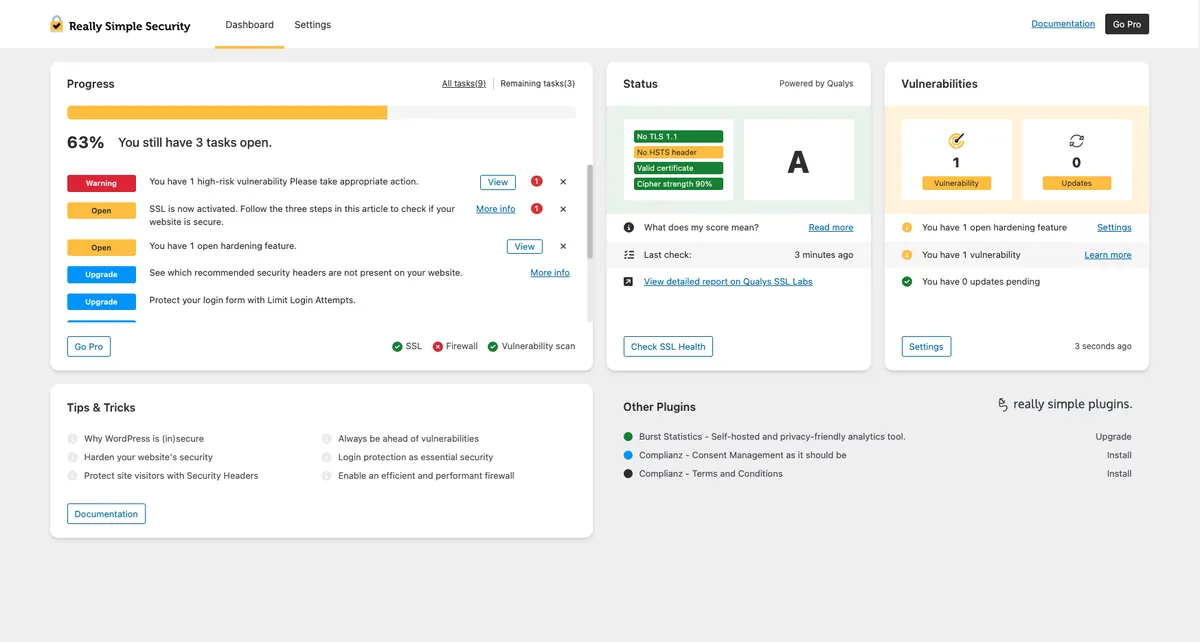
If you do not use Cloudflare, check your host's SSL panel for a 'Force HTTPS' toggle. Enable it there and remove any other source of HTTPS enforcement, including SSL plugins like Really Simple SSL or WP Force SSL. Two sources of enforcement fight each other and produce the same loop.
Step 4: Disable Every Plugin via FTP
If the site URLs are correct and Cloudflare is on Full (strict) but the loop continues, a plugin is fighting the server. Connect over SFTP, navigate to /wp-content/, and rename the plugins folder to plugins-off. Refresh the front end. If the loop ends, the cause is a plugin. Rename the folder back to plugins, then rename each subfolder one at a time and reload the site after each rename, until the loop returns. That subfolder is the culprit.
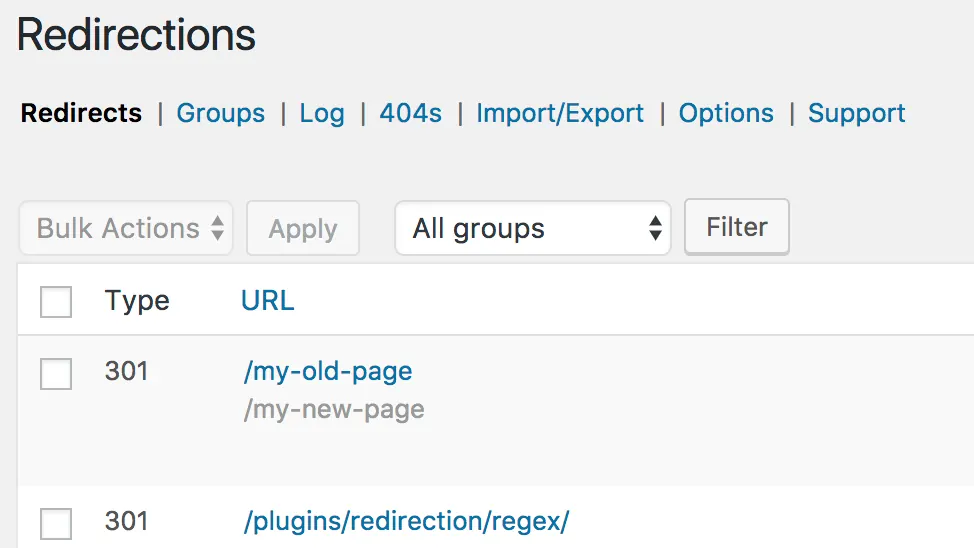
Common offenders are SSL plugins, redirect manager plugins like Redirection or Yoast, multilingual plugins like WPML, and security plugins that add their own .htaccess rules. Once you identify the plugin, look at its settings for an 'enforce HTTPS' or 'redirect old URL' option and disable it.
Step 5: Clean Up the .htaccess File
Open .htaccess in your site root. If it has more than the standard WordPress rewrite block plus a single HTTPS redirect, something has been adding rules over time. Plugins that get uninstalled often leave their rules behind. Back up the file, replace the contents with the canonical block in the next snippet, and reload the site.
# BEGIN WordPress
<IfModule mod_rewrite.c>
RewriteEngine On
RewriteBase /
RewriteRule ^index\.php$ - [L]
RewriteCond %{REQUEST_FILENAME} !-f
RewriteCond %{REQUEST_FILENAME} !-d
RewriteRule . /index.php [L]
</IfModule>
# END WordPress
Step 6: Clear Every Cache in Order
Caches remember redirects. If a CDN cached a bad 301 yesterday, every visitor today gets that 301 back, and the loop runs even though the underlying config is now correct. Clear caches in this exact order: WordPress caching plugin first, host-level page cache second, CDN third, browser fourth. Doing it in the wrong order means the CDN re-caches a stale page from the host cache and you have to start over.
For Cloudflare specifically, use 'Purge Everything' once, then test in a private window. If the test passes, you are done. If it still loops, the problem was not the cache, go back to Step 2.
Step 7: Check for HSTS Cached in the Browser
Browsers cache HSTS (HTTP Strict Transport Security) headers for months. If a previous visit to your domain set HSTS while the site was on HTTPS, the browser refuses to load it over HTTP even after you remove HTTPS enforcement. That can look like a redirect loop on the user's end while the server is doing nothing wrong.
In Chrome, type chrome://net-internals/#hsts into the address bar, scroll to 'Delete domain security policies', and remove your domain. Reload. If the loop is gone, HSTS was the cause and you can either re-enable HTTPS properly or wait for the cache to expire naturally.
A Real Client Example
Last month a client migrated from shared cPanel hosting to a managed WordPress host. The migration tool copied files and database cleanly. The old site had been running on Cloudflare Flexible SSL for years. After the migration, every visitor hit ERR_TOO_MANY_REDIRECTS on the home page.
Diagnosis took five minutes. The database still had siteurl as https://. The new host was serving HTTPS correctly with Let's Encrypt. Cloudflare was still on Flexible. Cloudflare stripped HTTPS, the origin redirected back to HTTPS, the loop ran. Switching Cloudflare to Full (strict) ended the loop instantly. Total downtime: about fifteen minutes from ticket open to fix verified.
The lesson I take from cases like this is that the error itself is dramatic but the fix is usually a single setting. Resist the urge to start editing wp-config or rewriting .htaccess until you have confirmed Cloudflare, host SSL, and WordPress siteurl are aligned. Most loops collapse the moment those three agree.
When the Loop Only Hits /wp-admin
A loop on the front end is one problem. A loop only inside /wp-admin is a different one. The cause is almost always FORCE_SSL_ADMIN being defined in wp-config.php while the admin URL is not actually reachable over HTTPS. Comment out the line, reload wp-login.php, and the loop ends.
If you want HTTPS for the admin, fix the cert first, then re-enable FORCE_SSL_ADMIN. Doing it in that order avoids locking yourself out for the second time on the same day, which is the kind of mistake you only make once.
// Comment out, do not delete, until SSL on /wp-admin is verified working
// define('FORCE_SSL_ADMIN', true);
Preventing the Next Loop
Three habits cut redirect-loop tickets to near zero on the sites I maintain. First, document the canonical URL in the project README. Write down whether the site is www or non-www, http or https, and where the enforcement happens. Anyone who touches the site later can read the file before they touch a setting.
Second, never stack HTTPS enforcement. Pick one source: host panel, Cloudflare page rule, WordPress plugin, or .htaccess. Two of them fight, three of them loop.
Third, after any host migration, run the curl trace from Step 1 before you change DNS. If the new server returns clean 200s on the canonical URL, the cutover is safe. If it returns 301s back to itself, you have a loop waiting to happen and you can fix it before any real visitor sees the error.
- Document the canonical URL in the project README
- Use only one source of HTTPS enforcement
- Run a curl trace before every host cutover
- Keep Cloudflare on Full (strict), never Flexible
- Back up wp_options before editing siteurl directly
Final Verification
After every change, test the same way real visitors arrive: open a private browser window, type the domain without a protocol (yoursite.com, not https://yoursite.com), and watch how the URL resolves. A healthy site does exactly one redirect from http to https and lands on the canonical version. Anything more than one redirect is fragile and will turn into a loop the next time someone changes a setting.
Complete Fix Checklist
- 1Open the site in a private window first, browser cookies cause false positives on this error.
- 2Check Settings > General for WordPress Address and Site Address, both must match exactly including http vs https and www vs non-www.
- 3If you cannot reach wp-admin, set WP_HOME and WP_SITEURL temporarily in wp-config.php to the correct URL.
- 4Deactivate every plugin via FTP by renaming the plugins folder, then load the site to see if the loop ends.
- 5Clear caches in this order: caching plugin, server-side cache, Cloudflare, then your browser.
- 6If you use Cloudflare, set SSL/TLS to Full (strict) and never Flexible, Flexible is the single biggest cause of WordPress redirect loops.
Quick Tips
- ERR_TOO_MANY_REDIRECTS is a browser-side message, the actual loop happens server-side
- Always test in incognito to rule out a stale cookie or HSTS cache
- Take a database backup before changing siteurl directly in wp_options
Frequently Asked Questions
Related Guides
Sources and Further Reading
- HTTPS for WordPress - WordPress.org Advanced Administration
- Redirections in HTTP - MDN Web Docs
More guides in this area: SSL & Redirects troubleshooting hub